 Tyagi
Tyagi
Android Spyware Detection Guide: Find and Remove Hidden Spyware
Learn how to detect hidden spyware on your Android phone, understand stalkerware, remove malicious apps, and protect your device from surveillance tools.
- 1. What is Android Spyware?
- 2. Types of Android Spyware
- 3. How Spyware Gets Installed on Android
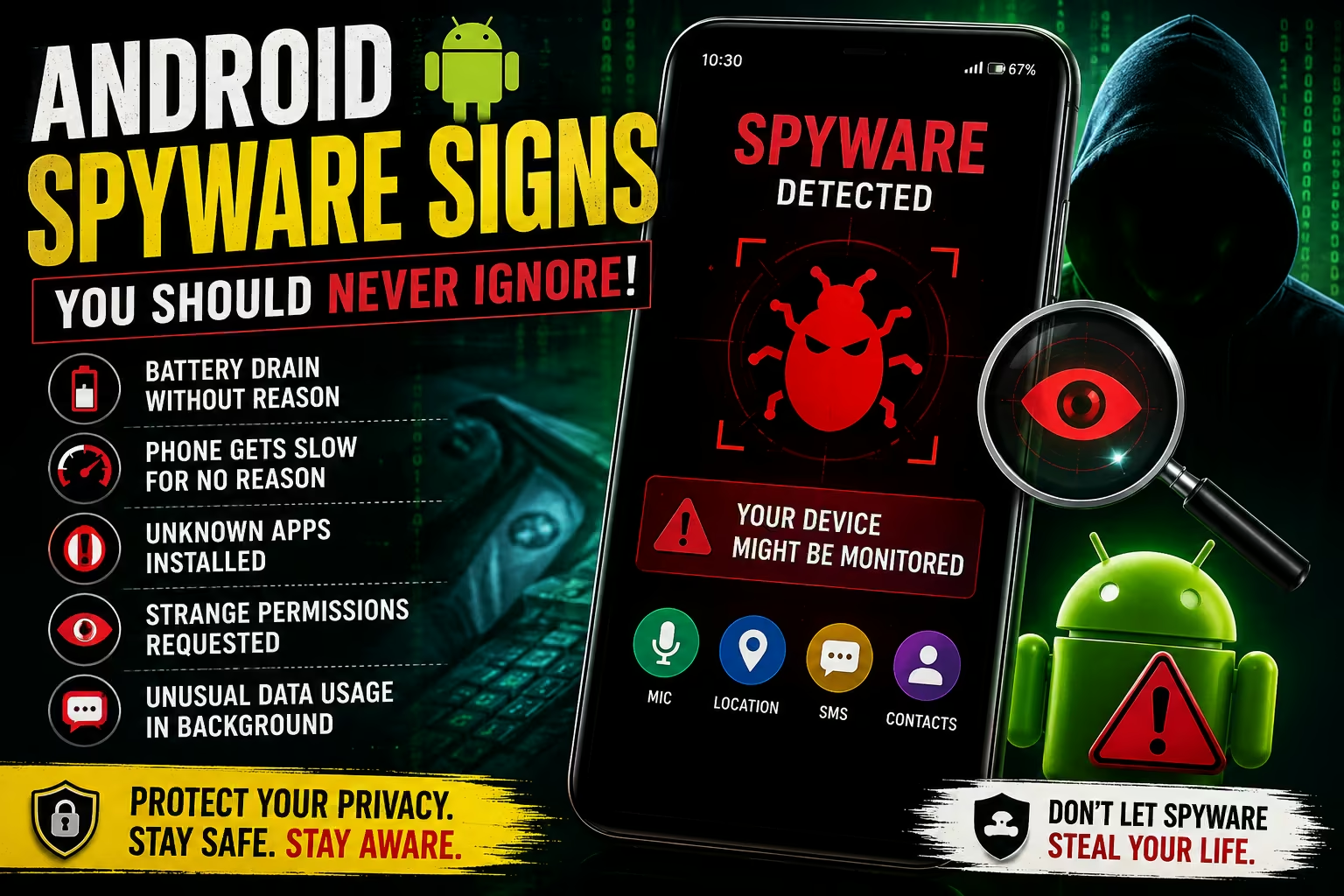
- 4. Symptoms of a Spyware-Infected Device
- 5. How to Detect Spyware — Step by Step
- 6. Permission Audit — What Apps Shouldn't Have
- 7. Understanding Pegasus and Nation-State Spyware
- 8. How to Remove Spyware from Android
- 9. Prevention Strategies
- 10. Best Security Apps for Android
1. What is Android Spyware?
Android spyware is a category of malicious software that secretly runs on your device, collecting and transmitting information without your knowledge or consent. Unlike viruses that destroy data or ransomware that locks your files, spyware operates silently — its goal is to remain completely invisible while maximizing the amount of data it can harvest from you.
Spyware can read your messages, record phone calls, activate your microphone and camera without any indicator light, track your GPS location in real time, log every keystroke you type, capture screenshots, access your contacts and photos, and relay all of this to a remote server controlled by the attacker.
Android is a particularly common target for spyware due to its open ecosystem — unlike iOS, Android allows app installation from sources outside its official app store (a process called sideloading), which spyware authors aggressively exploit.
2. Types of Android Spyware
| Spyware Type | Primary Function | Common Source |
|---|---|---|
| Stalkerware | Monitor partner / family member without consent | Physical device access by abuser |
| Commercial Spyware | Location + call logs for "parental control" | App stores, direct download |
| Keyloggers | Record every keystroke — passwords, messages | Malicious APK downloads |
| RATs (Remote Access Trojans) | Full remote control of device | Phishing links, malicious apps |
| Adware Spyware Hybrid | Collects data to serve targeted ads + resell | Free apps with hidden SDKs |
| Nation-State Spyware | Complete device compromise — all data + mic/camera | Zero-click exploits (e.g. Pegasus) |
| Banking Trojans | Capture banking credentials, OTPs | Fake banking apps, SMS links |
The Stalkerware Problem in India
Consumer-grade stalkerware — apps marketed as "spouse trackers," "employee monitors," or "parental controls" — are frequently misused in India for domestic surveillance. These apps typically hide their icons after installation, run silently in the background, and upload location data, messages, and call logs to a web dashboard accessible to whoever installed them. This is a serious privacy violation and, increasingly, a criminal offense under the IT Act.
3. How Spyware Gets Installed on Android
📦 Malicious APK Files
WhatsApp messages saying "install this app to get free recharge / movie" distribute spyware-laced APKs. One install and the attacker has access.
🔗 Drive-by Downloads
Visiting a malicious website on an unpatched Android browser can silently download and install an APK without any user action.
👆 Physical Device Access
Someone with 5-10 minutes of physical access to your unlocked phone can install stalkerware. Most common in domestic abuse situations.
🎭 Trojanized Legitimate Apps
Repackaged versions of popular apps (WhatsApp mods like GBWhatsApp, cracked Netflix APKs) contain hidden spyware alongside the real app's functionality.
🛒 Play Store Malware
Despite Google's safeguards, spyware occasionally makes it into the Play Store hidden inside flashlight apps, QR scanners, and utility tools.
🔓 Zero-Click Exploits
Advanced nation-state spyware like Pegasus requires zero user interaction — it exploits vulnerabilities in WhatsApp, iMessage, or SMS to install silently.
GBWhatsApp, WhatsApp Plus, FMWhatsApp — these unofficial WhatsApp mods are extremely popular in India and are consistently found to contain spyware or adware. They are not developed by Meta and operate outside WhatsApp's official security framework. Delete and switch to official WhatsApp immediately.
4. Symptoms of a Spyware-Infected Device
Spyware tries to be invisible, but running in the background and constantly transmitting data inevitably leaves traces. Here are the warning signs grouped by category:
Unusual Battery Drain
Battery draining 30-50% faster than usual with the same usage patterns. Spyware runs constantly in the background.
Phone Gets Hot
Device feels warm even when idle or charging. Background recording and data transmission causes heat.
High Data Usage
Unusual mobile data consumption, especially at night. Spyware uploads recordings and logs to remote servers.
Slow Performance
Phone becomes noticeably laggy. Spyware processes compete with your apps for CPU and RAM.
Screen Activates Randomly
Phone screen lights up without any notification or user action — could indicate remote access.
Noise During Calls
Clicking sounds, echoes, or static during phone calls can indicate call recording software running.
Unknown Apps in Settings
Apps you don't recognize appear in Settings > Apps, often with generic names like "System Service" or "Phone Manager."
Permissions You Didn't Grant
Checking permission settings reveals apps with microphone, camera, location access that you never intentionally allowed.
5. How to Detect Spyware — Step by Step
Step 1: Check Battery Usage Details
Go to Settings → Battery → Battery Usage. Look for any unfamiliar app consuming significant battery. Any unknown app using more than 5% battery is suspicious. Also look for apps consuming battery even when you haven't used them.
Step 2: Audit Your Installed Apps
Go to Settings → Apps → See All Apps and review every single app. Enable "Show System Apps" too. Look for apps with generic names (System Tool, Phone Service, Device Helper, Update Service) that you don't remember installing. Note down anything suspicious.
Step 3: Check Data Usage by App
Go to Settings → Network & Internet → Data Usage → Mobile Data Usage. Sort by highest usage. Any unfamiliar app using significant mobile data — especially in the background — is a red flag. Switch the view to "Background data" specifically.
Step 4: Review App Permissions
Go to Settings → Privacy → Permission Manager. Check each sensitive permission: Camera, Microphone, Location, Contacts, SMS, Call Logs. Any app that has these permissions that you don't recognize or that doesn't need them for its function should be investigated or removed immediately.
Step 5: Check Device Administrator Apps
Go to Settings → Security → Device Admin Apps. This list should only contain legitimate apps like your corporate MDM solution or Google Find My Device. Any unknown app here has deep system access and should be immediately deactivated and removed.
Step 6: Run a Play Protect Scan
Open the Play Store → tap your profile picture → Play Protect → tap Scan. Google Play Protect scans all installed apps against Google's malware database. Though not perfect, it catches most known spyware.
Step 7: Check Accessibility Services
Go to Settings → Accessibility → Installed Services. Spyware frequently abuses Android's Accessibility Services to log keystrokes and monitor on-screen content. Only apps you knowingly gave accessibility permission to (screen readers, custom keyboards you trust) should appear here.
For technically advanced users, install NetGuard (an open-source firewall app) and monitor all outgoing network connections by app. Spyware will show connections to unknown IP addresses and domains during periods when you're not actively using the suspected app.
6. Permission Audit — What Apps Shouldn't Have
| Permission | Legitimate Use Cases | Suspicious If Given To… |
|---|---|---|
| Microphone | Calling apps, voice notes, video calls | Flashlight app, calculator, weather app |
| Camera | Camera apps, video calling, QR scanners | VPN apps, antivirus, file manager |
| Location (Always) | Navigation apps, food delivery when active | Any app that doesn't need "always on" location |
| Read SMS | OTP autofill, banking apps officially | Games, utilities, social apps |
| Read Call Logs | Phone backup apps, truecaller-type apps | Any app that's not explicitly a call manager |
| Accessibility Service | Screen readers, legitimate keyboards | Almost any other app asking for this |
| Device Administrator | Corporate MDM, Google Find My Device | Any consumer app you didn't knowingly set up |
| Install Unknown Apps | App stores, trusted sideload sources | Should be OFF for all apps by default |
7. Understanding Pegasus and Nation-State Spyware
Pegasus is developed by NSO Group, an Israeli cyber intelligence company, and is sold exclusively to governments and law enforcement agencies. It represents the pinnacle of mobile spyware capability — and its existence fundamentally changed our understanding of mobile security.
What Makes Pegasus Unique
Pegasus is a "zero-click" spyware — meaning it can compromise a device without the target ever clicking anything. It exploits zero-day vulnerabilities (unknown bugs) in apps like WhatsApp, iMessage, Safari, and even the phone's baseband processor. A single malformed message, image, or even a missed call is enough to trigger full device compromise.
What Pegasus Can Access
- All messages (WhatsApp, Signal, Telegram, SMS — including end-to-end encrypted messages read directly from the app)
- Real-time camera and microphone activation with no indicator
- Live GPS location tracking
- All stored passwords via keylogging
- Photos, contacts, emails, calendar
- Encrypted app data by extracting it from memory
Pegasus in India
The Pegasus Project (a consortium of international journalists) identified numerous Indian phone numbers as potential Pegasus targets, including journalists, activists, opposition politicians, and academics. This raised significant concerns about the misuse of surveillance tools and sparked parliamentary debates on digital privacy in India.
How to Check for Pegasus (Mobile Verification Toolkit)
Amnesty International's Security Lab released an open-source tool called the Mobile Verification Toolkit (MVT) that can analyze iPhone backups and Android forensic images for indicators of Pegasus infection. This requires technical expertise to use but is the most reliable publicly available Pegasus detection method.
Pegasus targets high-value individuals — journalists, politicians, executives, human rights activists. If you're an average citizen, sophisticated nation-state spyware is unlikely to be your threat. Consumer-grade stalkerware and phishing-delivered RATs are far more common threats for most people.
8. How to Remove Spyware from Android
Method 1: Remove Identified Spyware Apps
If you've identified a suspicious app in your audit: Go to Settings → Apps → [suspicious app] → Uninstall. If the Uninstall button is greyed out, the app has Device Administrator access. First go to Settings → Security → Device Admin Apps → deactivate the app, then uninstall it.
Method 2: Boot into Safe Mode and Uninstall
Safe Mode disables all third-party apps temporarily, which can help if spyware is preventing normal uninstallation. To enter Safe Mode: press and hold the power button → long-press "Power Off" → confirm Safe Mode. In Safe Mode, navigate to Settings → Apps and uninstall the suspected spyware. Restart normally afterward.
Method 3: Factory Reset (Nuclear Option)
If you cannot identify or remove the spyware, or if you suspect deep system-level compromise, a factory reset is the most reliable solution. This erases everything and restores the device to its out-of-box state. Before resetting, note that you'll lose all local data not backed up to Google.
☁️ Backup Essential Data
Back up contacts, photos, documents to Google Drive or PC. Do NOT restore app backups after reset as they may restore the spyware too.
⚙️ Factory Reset
Settings → System → Reset Options → Erase All Data (Factory Reset). This takes 10-20 minutes.
📱 Set Up Fresh
Set up as a new device. Install only apps from Play Store. Do NOT restore from a backup that may contain the infection.
🔑 Change All Passwords
After the clean setup, change passwords for all accounts from a secure device — the spyware may have captured your existing passwords.
9. Prevention Strategies
- Only install apps from the official Google Play Store — never install APK files from WhatsApp, Telegram, or random websites
- Delete GBWhatsApp, WhatsApp Plus, or any unofficial app mod immediately and switch to official versions
- Keep your phone's OS updated — security patches fix the vulnerabilities spyware exploits. Go to Settings → System → Software Update monthly
- Enable Google Play Protect and never turn it off (Settings → Security → Google Play Protect)
- Never leave your phone unlocked and unattended with anyone you don't fully trust
- Use a strong lock screen PIN (6+ digits or alphanumeric) — makes physical installation much harder
- Review app permissions every 3 months and revoke anything that seems unnecessary
- Disable "Install Unknown Apps" for all apps (Settings → Apps → Special App Access → Install Unknown Apps)
- Don't click shortened URLs in SMS or WhatsApp — expand them first using a URL expander service
- Consider using Shelter app to create a work profile for apps you don't fully trust, isolating their data access
10. Best Security Apps for Android
| App | Function | Cost |
|---|---|---|
| Malwarebytes for Android | Spyware/malware scanner, privacy audit | Free (premium optional) |
| NetGuard | Per-app firewall, monitor outgoing connections | Free (open source) |
| Exodus Privacy | Scan apps for hidden trackers and permissions | Free |
| Privacy Dashboard (Android 12+) | Built-in — shows real-time permission usage | Built-in (Android 12+) |
| Bitdefender Mobile Security | Real-time malware protection, VPN | Paid (~₹799/year) |
| Shelter | Work profile isolation for untrusted apps | Free (open source) |
| Should I Answer? | Identifies scam/spam callers before you answer | Free |
The single most effective thing you can do: keep your Android OS updated, never install APKs outside Play Store, and do a monthly permissions review. 95% of Android spyware infections are entirely preventable with these three habits.
Discussion & Reviews
Tap stars to rate this page: