 Tyagi
TyagiDark Web & Data Breach Guide: What Happens to Your Stolen Data and How to Fight Back
When your data leaks in a breach, where does it go? This comprehensive guide explains exactly how the dark web operates, what stolen data is worth, how to check if you've been breached, and the precise step-by-step actions to secure your identity before it's too late.
1. What Is the Dark Web?
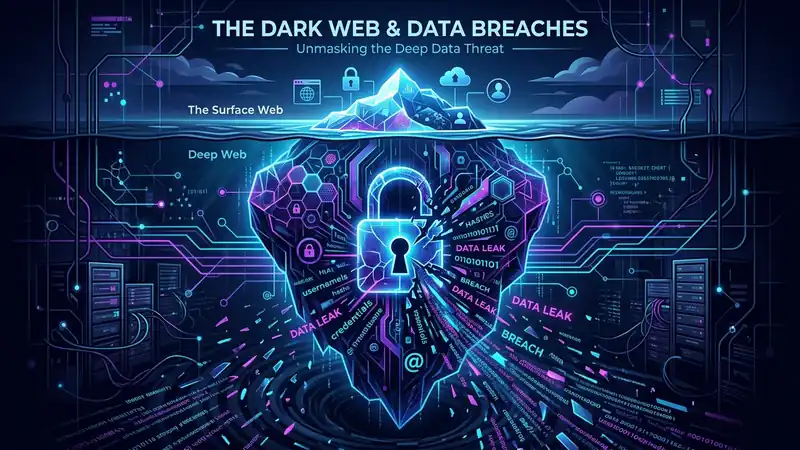
The internet you use every day — Google, YouTube, Amazon, news sites — is called the Surface Web. It makes up less than 5% of the total internet. Below it lies the Deep Web (databases, private portals, email servers). And at the very bottom, accessible only through specialized software like the Tor Browser, is the Dark Web.
The dark web is not inherently evil. Journalists, whistleblowers, and political activists in oppressive regimes use it to communicate safely. But it is also home to the most sophisticated criminal marketplaces in human history — where your stolen personal data is bought and sold like commodities on a stock exchange.
The dark web requires the Tor Browser to access. Normal browsers like Chrome or Firefox cannot reach .onion domains. This anonymity makes it a haven for cybercriminals trading stolen data.
2. How Data Breaches Happen
Data breaches do not happen by accident. They are targeted, often sophisticated attacks against companies that hold your data. Here are the primary methods attackers use to steal data from organizations:
🎣 SQL Injection
Attackers insert malicious database commands into input fields on poorly secured websites. The database obeys the command and dumps all its stored data directly to the attacker.
🔑 Credential Stuffing
Using leaked username/password lists from previous breaches, attackers automatically test billions of credential combinations across thousands of websites simultaneously.
🎭 Phishing & Spear Phishing
Targeted phishing emails trick employees into revealing login credentials or installing malware. Once inside the corporate network, the attacker moves laterally to databases.
💻 Ransomware & Malware
Ransomware groups now practice "double extortion" — they encrypt your data AND steal a copy. They threaten to sell it on the dark web if you don't pay.
🏭 Third-Party Vendor Breach
Your data held by a trusted company can leak if their software vendor (or cloud storage) gets breached. You never shared your data with the attacker's target, but it reaches them anyway.
😈 Insider Threats
Disgruntled or compromised employees with database access can steal and sell millions of records. This is one of the hardest attack vectors to defend against.
3. What Happens to Your Data on the Dark Web?
Once stolen, your data does not sit idle. It enters a sophisticated criminal supply chain that operates with shocking efficiency. Here is the lifecycle of your stolen data:
What Is Your Data Worth on the Dark Web?
| Data Type | Dark Web Price | What It's Used For |
|---|---|---|
| Email + Password Combo | $0.50 – $5 | Credential stuffing, account takeovers |
| Credit Card (full details) | $5 – $110 | Fraudulent purchases, carding |
| Bank Account Credentials | $40 – $2,000+ | Direct fund transfers, wire fraud |
| Full Identity Package (SSN/Aadhaar, DOB, address) | $15 – $200 | Identity theft, loan fraud |
| Medical Records | $1 – $1,000 | Medical fraud, insurance scams |
| Passport Scan | $1 – $65 | Identity verification bypass |
| Crypto Wallet Credentials | $100 – $3,000 | Direct crypto theft (irreversible) |
The low prices are terrifying. For the cost of a cup of coffee, a criminal can buy your email and password. For less than ₹500, they can purchase enough data to impersonate you. The barrier to becoming a cybercrime victim is shockingly low.
4. How to Check If Your Data Has Been Leaked
The most important first step is knowing whether your data is already on the dark web. Here are the most reliable methods:
🔍 Method 1: HaveIBeenPwned.com
The gold standard for breach checking. Created by security researcher Troy Hunt, this free service has indexed over 12 billion breached accounts. Simply enter your email address and it will tell you exactly which breaches your data appeared in, what data was exposed, and when.
Check every email address you use — work, personal, old ones you forgot about. Also enable the notification feature on HaveIBeenPwned so you get alerted if your email appears in future breaches.
🔍 Method 2: Google Password Checkup
If you use Chrome and have saved passwords, go to passwords.google.com and run a Password Checkup. Google cross-references your saved passwords against known breach databases and flags compromised credentials directly.
🔍 Method 3: Dark Web Monitoring Services
Services like Mozilla Monitor (free), 1Password Watchtower, and various bank/credit monitoring tools continuously scan dark web forums and markets for your personal information. When your data appears, you are notified immediately.
🔍 Method 4: Check Your Phone Number
Phone numbers are also sold in breaches, especially from social media platforms. Use HaveIBeenPwned's phone number search or services like F-Secure Identity Theft Checker to scan for your number.
5. Immediate Actions After a Data Breach
You just discovered your email appeared in a breach. Here is exactly what to do in the next 24 hours, ordered by priority:
🔑 Change the Breached Password
Immediately change the password on the breached service. If you used the same password elsewhere (bad practice!), change it everywhere else too.
📱 Enable 2FA on Everything
Turn on two-factor authentication on your email, banking, and social media accounts. Use an authenticator app — not SMS — wherever possible.
🏦 Alert Your Bank
If financial data was exposed, call your bank and flag the breach. Ask them to monitor for suspicious activity and temporarily block international transactions.
📧 Secure Your Email
Your email is the master key to all your accounts. Change its password immediately, check for unknown recovery emails/phones, and revoke all unknown third-party app access.
🔐 Use a Password Manager
If you weren't using one before, start now. Install Bitwarden (free and open-source) and generate unique, strong passwords for every account you own.
📊 Monitor Credit & Identity
Set up credit monitoring alerts via your bank or services like CRIF, CIBIL alerts, or international services like Experian. Watch for new accounts being opened in your name.
6. Long-Term Data Breach Protection Strategy
Reacting to breaches is not enough. You need a proactive strategy that minimizes your exposure before the next breach (and there will be a next breach — 83% of organizations experience more than one).
🔐 Password Hygiene — The Non-Negotiable Baseline
- Use a unique, strong password for every single account — no exceptions. Reusing passwords is the single biggest multiplier of breach damage.
- Minimum password length: 16 characters. Use a combination of uppercase, lowercase, numbers, and symbols.
- Store all passwords in a reputable password manager (Bitwarden, 1Password, or KeePass for local storage).
- Never save passwords in a browser unless it's backed by a strong master password and 2FA on the browser account itself.
🔔 Set Up Breach Monitoring Alerts
- Enable email breach notifications on HaveIBeenPwned for all your email addresses.
- Use Mozilla Monitor (monitor.mozilla.org) for continuous scanning and guided remediation.
- Enable Google's Dark Web Report (available in Google One) if you use Gmail.
- If you have an iPhone, use Apple's Security Recommendations in Settings > Passwords to see compromised credentials stored in iCloud Keychain.
📧 Use Disposable or Alias Emails for Sign-Ups
- Create a separate "throwaway" email address (e.g., on ProtonMail or iCloud alias) exclusively for website sign-ups, newsletters, and online shopping.
- Keep your primary email address private — only for banking, work, and trusted communications.
- Use email alias services like SimpleLogin or Apple Hide My Email to create unique addresses for each service. If one is breached, you simply disable that alias.
💳 Virtual Cards for Online Purchases
- Use virtual debit cards for online purchases. Services like Slice, OneCard, or your bank's virtual card feature generate temporary card numbers that expire after use.
- Even if the e-commerce site is breached, the virtual card number is already expired and useless to attackers.
Assume every service you've ever signed up for will be breached at some point. Design your security posture around that assumption. If breach occurs, the damage should be contained to that one service only — not cascade to your bank, email, and social media.
7. Data Breaches in India — The Local Reality
India is one of the world's fastest-growing internet markets, but cybersecurity infrastructure has not kept pace with digital adoption. The result is a surge in data breaches affecting hundreds of millions of Indian citizens.
Major Indian Data Breaches
- AIIMS Delhi (2022): Ransomware attack compromised data of approximately 3–4 crore patients including health records, Aadhaar numbers, and contact details.
- Aadhaar Data Leak (2018): An estimated 1.1 billion Aadhaar records were allegedly exposed through a state utility website's misconfigured portal. UIDAI disputed the scale but the incident highlighted systemic vulnerabilities.
- Domino's India (2021): 18 crore order records including names, phone numbers, email addresses, and 10 lakh+ credit card details were leaked and put up for sale for ₹4 crore on the dark web.
- BigBasket (2020): Over 2 crore customer records including names, email IDs, phone numbers, and hashed passwords were listed for sale on a dark web forum.
- MobiKwik (2021): 35 lakh users' KYC data including Aadhaar cards, PAN cards, and passport photos was allegedly leaked and sold on the dark web.
India's Digital Personal Data Protection (DPDP) Act 2023 is a step in the right direction, but enforcement is nascent. Many Indian companies still lack breach disclosure obligations and notification timelines. Victims often learn about breaches months or years after they occur — if at all.
What to Do If You Are Affected by an Indian Breach
- File a complaint at cybercrime.gov.in or call the Cyber Fraud Helpline 1930.
- Report to the Computer Emergency Response Team (CERT-In) at cert-in.org.in.
- If Aadhaar data is compromised, report to UIDAI at help@uidai.gov.in or call 1947.
- Contact your bank immediately if financial data is involved and request enhanced monitoring on your account.
- File a complaint with the RBI Ombudsman if unauthorized financial transactions occur as a result of the breach.
Discussion & Reviews
Tap stars to rate this page: