 Tyagi
Tyagi
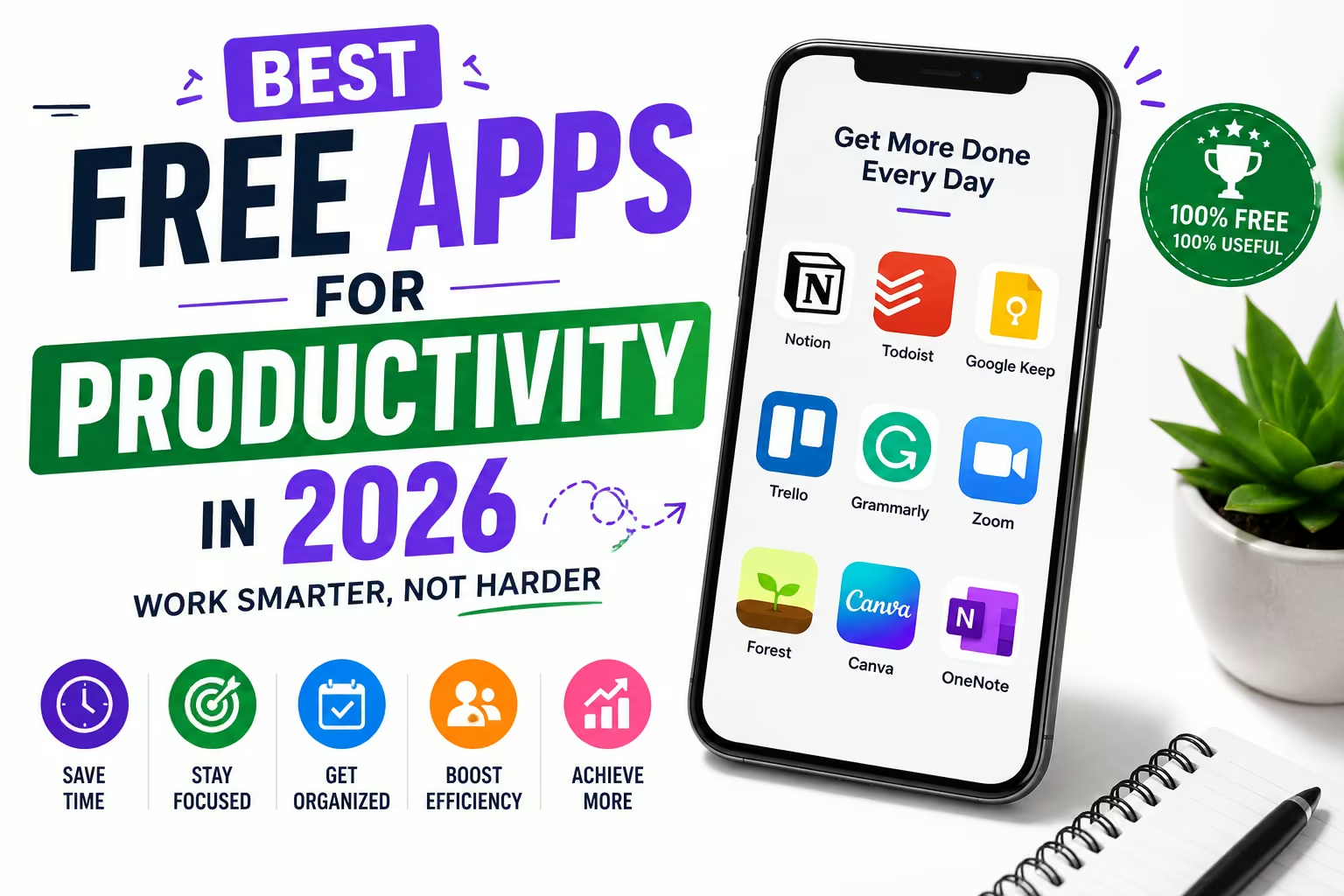
Best Productivity Apps Guide 2026: Tools to Organize Your Life
Discover the best productivity apps for task management, note-taking, time tracking, and focus in 2026 — with comparisons, pricing, and use-case recommendations.
- 1. Why Productivity Apps Matter More in 2026
- 2. Best Task Management Apps
- 3. Best Note-Taking Apps
- 4. Time Tracking and Focus Apps
- 5. Calendar and Scheduling Tools
- 6. Best Apps for Students
- 7. Team Collaboration Tools
- 8. AI-Powered Productivity Tools
- 9. How to Choose the Right Stack
- 10. Building Habits That Stick
1. Why Productivity Apps Matter More in 2026
We live in an era of unprecedented information overload. The average knowledge worker switches between applications over 1,200 times a day and receives notifications roughly every 6 minutes during working hours. In this environment, the right productivity system isn't a luxury — it's essential infrastructure for getting meaningful work done.
The productivity app landscape has matured significantly. What used to be simple to-do lists have evolved into sophisticated systems incorporating AI assistance, automated workflows, cross-platform sync, and deep integrations with how we actually work and think.
2. Best Task Management Apps
Efficient task management is the foundation of any productivity stack. Depending on your personal style, here are the leading tools in 2026:
| App | Best For | Pricing | Standout Feature |
|---|---|---|---|
| Todoist | Simple, fast personal task management | Free / ₹400/mo Pro | Natural language date parsing ("every Mon at 9am") |
| Notion | All-in-one workspace, databases + tasks | Free / ₹650/mo | Fully customizable databases and templates |
| ClickUp | Teams needing project management depth | Free / ₹450/mo | Extremely feature-rich, multiple view types |
| TickTick | Students, habit + task combo | Free / ₹250/mo | Built-in Pomodoro timer and habit tracker |
| Things 3 | Apple ecosystem users wanting simplicity | One-time ₹4,000 approx | Beautiful native design, no subscription |
| Microsoft To Do | Microsoft 365 / Outlook users | Free | Deep Outlook and Teams integration |
The GTD Method and App Selection
The "Getting Things Done" (GTD) methodology by David Allen remains hugely influential in how productivity apps are designed. Apps like Todoist and OmniFocus are built specifically around GTD principles: capturing tasks immediately, processing them into actionable items, organizing by context, and reviewing regularly. If you're drawn to this systematic approach, choose an app with strong support for projects, contexts/labels, and recurring review workflows.
3. Best Note-Taking Apps
Writing down your thoughts helps offload mental processing and builds a personal knowledge repository. Here are the leading platforms:
Notion
Best all-in-one for notes + databases + wikis. Steeper learning curve but unmatched flexibility for building a personal knowledge system.
Obsidian
Local-first, markdown-based, with a powerful linking system for building a "second brain." Favorite among researchers and writers.
Evernote
Veteran note app with excellent OCR and web clipping. Good for digitizing handwritten notes and documents.
Google Keep
Dead simple, fast sticky-note style capture. Best for quick reminders rather than deep knowledge management.
OneNote
Free-form canvas notebook, great for handwriting with a stylus and organizing by notebooks/sections/pages.
Bear
Beautiful, fast, markdown notes for Apple ecosystem. Excellent tagging system for organization.
4. Time Tracking and Focus Apps
Understanding where your hours go is crucial for self-optimization. These apps help you map and maintain your cognitive focus:
| App | Type | Key Function |
|---|---|---|
| Toggl Track | Time tracking | One-click timer, detailed reports, billable hours for freelancers |
| RescueTime | Automatic tracking | Passively logs time spent in apps/websites, weekly productivity score |
| Forest | Focus / Anti-distraction | Gamified focus sessions — grow a virtual tree, plant real trees with earnings |
| Freedom | Website/app blocker | Cross-device blocking of distracting sites during focus sessions |
| Focus To-Do | Pomodoro + tasks | Combines Pomodoro timer directly with task list management |
| Cold Turkey | Hardcore blocker (Windows) | Cannot be bypassed once a block is started — for serious distraction issues |
Work in focused 25-minute intervals followed by 5-minute breaks, with a longer 15-30 minute break after 4 cycles. This technique, combined with any timer app, is one of the most evidence-backed methods for maintaining sustained focus and avoiding burnout.
5. Calendar and Scheduling Tools
Calendar apps have evolved well beyond simple event storage. Modern scheduling tools solve the painful back-and-forth of finding meeting times and help protect focus time from being eroded by endless meetings.
- Google Calendar: The universal standard, deeply integrated with Gmail, Meet, and most third-party tools.
- Calendly: Share a booking link so others schedule meetings within your available slots automatically — eliminates scheduling emails entirely.
- Reclaim.ai: AI-powered calendar that automatically defends focus time and reschedules flexible tasks around fixed meetings.
- Motion: AI scheduling assistant that automatically plans your entire day by analyzing task priorities and deadlines.
- Fantastical: Premium calendar app with natural language event creation ("Lunch with Raj tomorrow 1pm").
6. Best Apps for Students
Students face a unique challenge: managing classes, homework, exams, and personal study within a highly fragmented schedule. Here are the top apps built with academic life in mind:
| App | Purpose | Why Students Love It |
|---|---|---|
| Notion (Student Plan) | Notes, assignment tracking | Free Pro plan for students with .edu-equivalent school domain verification |
| Forest | Distraction-free study sessions | Gamification makes long study sessions feel rewarding |
| Anki | Spaced repetition flashcards | Scientifically proven for long-term memory retention — ideal for competitive exams |
| Google Drive + Docs | Assignment writing, group projects | Real-time collaboration, free, unlimited revision history |
| Quizlet | Study sets and practice tests | Massive library of pre-made study sets for almost any subject |
| My Study Life | Class schedule + assignment deadlines | Purpose-built for academic timetables and exam tracking |
7. Team Collaboration Tools
When working with others, coordination is everything. Modern collaborative tools keep everyone aligned and reduce communication bottlenecks:
- Slack: The standard for team messaging — channels, threads, integrations with virtually every other tool.
- Microsoft Teams: Best for organizations already on Microsoft 365 — deep integration with Office apps.
- Asana: Visual project management with timeline views, dependencies, and workload management.
- Trello: Simple kanban boards — easiest to learn for teams new to project management software.
- Miro: Infinite collaborative whiteboard for brainstorming, planning, and visual collaboration.
- Linear: Issue tracking purpose-built for fast-moving software teams, beloved for its speed and keyboard shortcuts.
8. AI-Powered Productivity Tools
AI assistants have become deeply embedded in modern productivity workflows, fundamentally changing how quickly certain tasks can be completed:
- AI Writing Assistants: Tools that draft emails, summarize documents, and improve writing clarity in seconds rather than minutes.
- Meeting Transcription and Summary: Tools like Otter.ai and Fireflies automatically transcribe meetings and generate action item summaries.
- AI Scheduling: Tools that analyze your calendar patterns and automatically protect deep work time.
- AI Research Assistants: Chatbot-based research tools that can specialize in synthesizing information from multiple sources in conversational format.
- Smart Email Triage: AI that categorizes, prioritizes, and drafts responses to routine emails automatically.
AI tools genuinely save time on specific tasks — drafting, summarizing, research synthesis — but they don't replace the fundamental discipline of prioritization and focus. The biggest productivity gains still come from doing fewer things well, not doing more things faster.
9. How to Choose the Right Stack
The biggest mistake people make with productivity apps is trying too many tools simultaneously, leading to fragmented information and abandoned systems. Here's a framework for choosing wisely:
- Start with one task manager. Don't combine three different to-do apps. Pick one and commit to it for at least a month before evaluating.
- Match the tool to your actual workflow, not an idealized version of how you think you should work.
- Prefer fewer, more integrated tools over many specialized point solutions — this reduces context switching.
- Consider sync and cross-platform support if you switch between phone, laptop, and tablet frequently.
- Free tiers are often sufficient for individual use — don't pay for features you won't use.
10. Building Habits That Stick
The best productivity app is worthless without consistent habits around using it. Here are practices that make any productivity system actually work long-term:
- ✓ Do a daily 5-minute review each morning to plan your top 3 priorities.
- ✓ Do a weekly review every Sunday to clear backlogs and plan the week ahead.
- ✓ Capture tasks immediately when they occur to you — don't trust memory.
- ✓ Review and prune your system monthly — delete what you're not using.
- ✓ Give yourself permission to simplify — a system you actually use beats a perfect system you abandon.
The right productivity app is the one you'll actually use consistently. Don't chase the "perfect" system — pick a reasonably good tool, build the habit of using it daily, and you'll outperform anyone with a perfect system they don't actually maintain.
Discussion & Reviews
Tap stars to rate this page: