 Tyagi
TyagiHow Phishing Websites Steal Your Data and How to Stay Safe
By Himanshu Tyagi · TyagiHub · 14 June 2026 · 16 min read
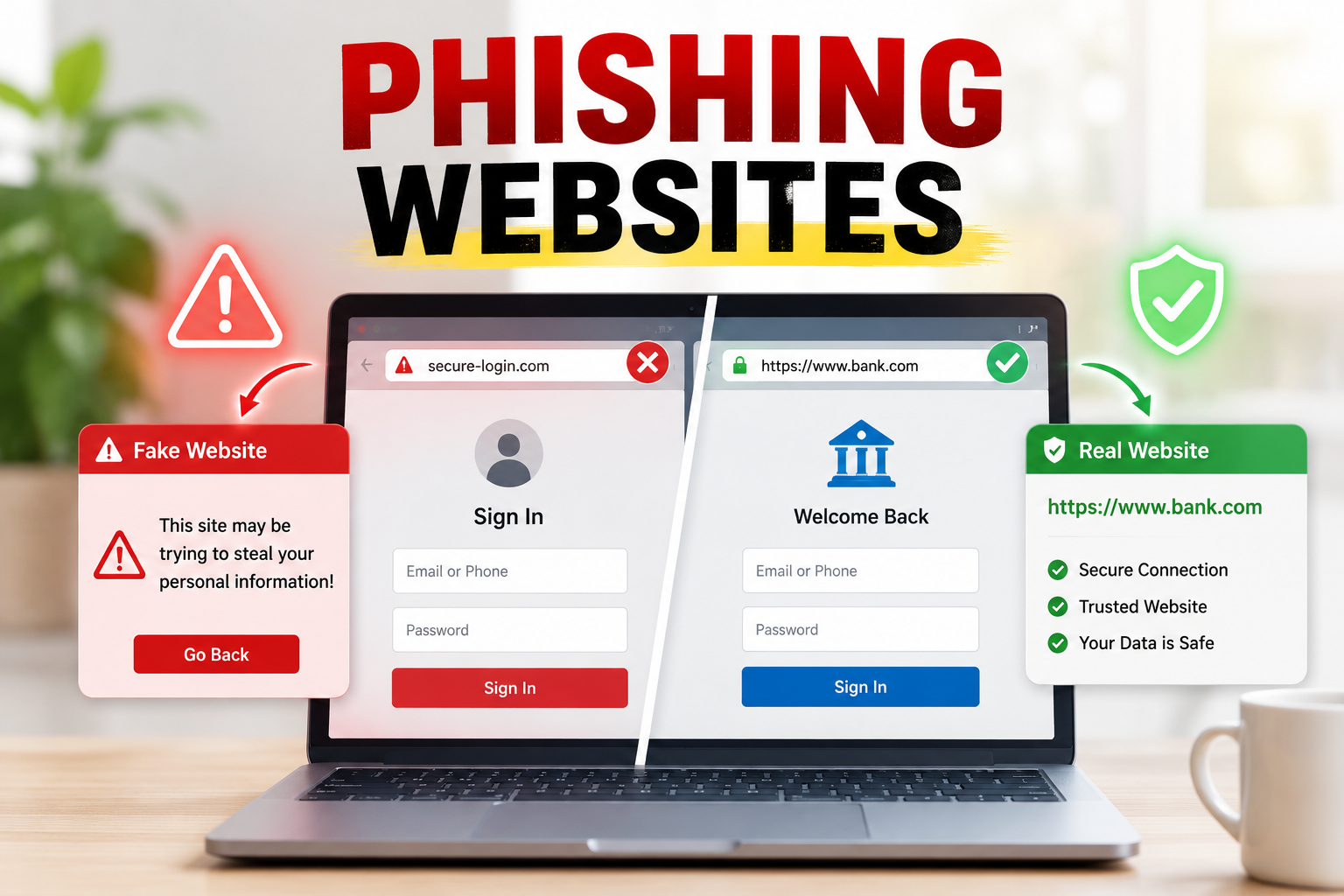
How Phishing Websites Steal
Your Data
📋 Table of Contents
- What is Phishing and How It Works
- Types of Phishing Attacks
- How Fake Websites Are Built
- How to Identify a Phishing Website
- URL Tricks Attackers Use
- Real-World Phishing Examples in India
- What Happens After You Enter Your Details
- Browser and Tool-Based Defenses
- How to Protect Yourself
- How to Report a Phishing Site
1. What is Phishing and How It Works
Phishing is one of the oldest and most effective forms of cybercrime. The term comes from "fishing" — attackers cast a wide net (usually emails or messages) hoping victims will take the bait. A phishing website is a fraudulent website designed to look identical to a legitimate website — your bank, your email provider, a government portal, or a popular shopping site — with the sole purpose of tricking you into entering sensitive information.
Once you type your username and password on a phishing site and hit login, that information is instantly sent to the attacker's server. You might be redirected to the real website after, making you think it was just a "glitch." But by then, the attacker has your credentials and the clock has started on what they can steal or access.
Phishing is the entry point for a vast majority of cyberattacks. It is the number one technique used in ransomware deployments, business email compromise, and financial fraud. According to multiple cybersecurity reports, over 90% of data breaches begin with a phishing email.
Modern AI tools can generate highly convincing phishing emails with perfect grammar, personalized content, and even authentic-looking logos in seconds. The era of poorly spelled phishing emails is over. Today's attacks are nearly indistinguishable from legitimate communications.
2. Types of Phishing Attacks
| Attack Type | Method | Target |
|---|---|---|
| Email Phishing | Mass emails with fake login links | Everyone — broad attack |
| Spear Phishing | Targeted emails using victim's personal info | Specific individuals / executives |
| Smishing | Phishing via SMS ("Your parcel is held, click here") | Mobile users |
| Vishing | Voice call impersonating bank/telecom | Elderly, less tech-savvy users |
| Clone Phishing | Duplicate of real email with replaced link | Corporate employees |
| Whaling | Executive-targeted spear phishing | CEOs, CFOs, senior management |
| Search Engine Phishing | Fake sites ranked on Google for "HDFC Bank login" | Banking customers |
| QR Code Phishing (Quishing) | Malicious QR codes redirecting to phishing sites | Mobile users scanning QR in public |
The Rise of Smishing in India
India has seen explosive growth in SMS-based phishing (smishing) targeting banking customers. Common scenarios include fake IRDAI insurance messages, fake parcel delivery notifications from India Post or Delhivery, KYC expiry threats from "your bank," and Aadhaar deactivation warnings. These messages contain shortened URLs that lead to convincing fake banking or government portals.
3. How Fake Websites Are Built
You might imagine that building a convincing fake website requires advanced programming skills. The reality is far more disturbing — modern phishing toolkits have lowered the barrier to near zero.
Phishing Kits and Toolkits
Phishing kits are pre-packaged archives containing a complete copy of a target website's HTML, CSS, and JavaScript, along with a PHP backend that captures submitted credentials. A criminal can download a kit for "HDFC Bank" or "SBI Internet Banking" from dark web forums for as little as $5-$20, upload it to a compromised web hosting account, and have a working phishing site operational in under 30 minutes.
HTTrack and Website Cloning
Tools like HTTrack allow anyone to create a complete offline copy of any website with a single command. Attackers clone the real bank or service website, add a few lines of PHP to capture submitted forms, and host it on a domain that looks similar to the original.
Adversary-in-the-Middle (AiTM) Phishing
More sophisticated attacks use AiTM proxies. Instead of hosting a static clone, the attacker sets up a real-time proxy that sits between you and the legitimate website. You actually see and interact with real content from the real site — but the attacker captures your session cookies and credentials in real time, allowing them to bypass even multi-factor authentication.
🎣 Clone Target Site
Attacker creates pixel-perfect copy of real website using automated tools or manual HTML copying.
🌐 Register Lookalike Domain
Registers a domain like "hdfcbaank.com" or "sbi-netbanking.in" — looks genuine at a glance.
🔒 Add Free SSL Certificate
Gets a free HTTPS certificate via Let's Encrypt, so the site shows the "padlock" icon — which many users mistakenly trust.
📧 Send Phishing Messages
Sends bulk SMS or emails with fake urgent messages driving victims to the phishing page.
📥 Harvest Credentials
Captures every username, password, OTP, and card detail entered, storing them in a database or emailing to attacker.
🔄 Redirect Victim
After capturing data, redirects victim to real site with "incorrect password" error — victim suspects nothing.
A padlock icon (HTTPS) does NOT mean a website is safe. It only means the connection between your browser and that website is encrypted. A phishing site can — and routinely does — have HTTPS. Always verify the domain name, not just the padlock.
4. How to Identify a Phishing Website
While phishing sites are increasingly convincing, there are still reliable signals that reveal their nature if you know what to look for:
Check the Domain Name Very Carefully
This is the single most important check. The domain name is the only thing an attacker cannot fake. Look at the address bar carefully before entering any information. Focus on the text immediately before the first single slash (/) — that is the actual domain.
Other Red Flags to Watch For
- Urgency language: "Your account will be blocked in 24 hours," "Immediate action required" — designed to bypass rational thinking
- Grammar and spelling errors: Even one misspelled word on a bank page is a huge red flag
- Missing or wrong logos: Logos may be blurry, wrong color, or slightly different
- Non-functional links: Footer links, menu items often lead nowhere on phishing sites
- Asking for too much information: No bank will ask for your full debit card number, CVV, and PIN together on one page
- Different page layout from what you remember: Always trust your memory of how a site usually looks
- Pop-ups asking to install software: Legitimate banking sites never ask you to download an app via a pop-up
5. URL Tricks Attackers Use
Attackers are creative with domain names. They exploit the fact that most people only glance at the URL rather than reading it carefully. Here are the most common URL manipulation techniques:
| Technique | Example | How It Fools You |
|---|---|---|
| Typosquatting | goggle.com, facebok.com | Relies on mistyping the real URL |
| Homograph Attack | аmazon.com (Cyrillic 'а') | Identical looking characters from other alphabets |
| Subdomain Spoofing | paypal.com.evilsite.net | Real brand name appears before the actual domain |
| TLD Swapping | google.co (vs google.com) | Different top-level domain that looks similar |
| Hyphen Insertion | net-banking-sbi.com | Hyphenated version sounds official |
| URL Shorteners | bit.ly/xxxxxx | Completely hides the real destination domain |
| Unicode Lookalikes | ɢoogle.com | Different Unicode characters that render identically |
Always look at the part just before the first "/" — that is the real domain. "paypal" here is just a subdomain.
6. Real-World Phishing Examples in India
Fake SBI YONO App Login Pages
SBI's YONO app is one of the most phished targets in India. Fraudsters create near-perfect clones of the YONO login page and distribute links via WhatsApp messages claiming "YONO service will be suspended unless you update your KYC." Millions of SBI customers receive these messages monthly. The fake pages capture internet banking credentials and OTPs in real time, enabling immediate fund transfers.
Fake Income Tax Refund Portals
Every tax filing season, a wave of phishing sites mimicking the Income Tax Department's portal (incometax.gov.in) appears. Emails and SMS messages claim "Your refund of ₹X,XXX is ready to be processed. Click here to update your bank account details." Victims who click enter their PAN, Aadhaar, and bank account information directly into the attacker's hands.
Fake UPI Payment Collect Requests
A uniquely Indian phishing vector — attackers send UPI payment collect requests (the reverse of sending money — this asks you to approve a payment FROM your account) with misleading descriptions like "Cashback credited — approve to receive." Victims approve what they think is receiving money but are actually authorizing a debit.
Job Offer Phishing During Placement Season
Phishing emails offering fake job offers from reputed companies (TCS, Infosys, Wipro, Amazon) surge during college placement seasons. These emails ask students to "pay a security deposit," "fill a detailed form" with financial details, or download a "registration app" that is actually malware.
UPI works on a "pull request" model. When someone sends you a UPI collect request, it is asking for money FROM you — not sending money TO you. Any request that asks you to enter your UPI PIN to "receive" money is a scam.
7. What Happens After You Enter Your Details
The moment you submit a form on a phishing site, a chain of events begins on the attacker's side with remarkable speed:
Instant Automated Processing
Most phishing backends are fully automated. The second your credentials are submitted, they are stored in a database AND emailed directly to the attacker's inbox. Automated scripts may immediately attempt to log in to the real service with your credentials before you even notice.
Credential Stuffing
If your email and password combination is captured, it's immediately fed into automated credential stuffing tools that try the same combination on hundreds of other services — Gmail, Amazon, Netflix, Flipkart, banking apps. Since many people reuse passwords, a single phishing hit often unlocks multiple accounts.
Dark Web Sale
Captured credentials are packaged and sold on dark web marketplaces within hours of being captured. Banking credentials from India sell for anywhere from a few dollars to hundreds, depending on the account balance visible during the compromise. This is why your data can be misused months or years after the original breach.
Account Takeover and Monetization
Email accounts are used to reset passwords for linked services. Bank accounts are drained via IMPS/NEFT/UPI transfers to mule accounts. Social media accounts are used to run scams on your friends list. Everything of value is extracted as quickly as possible before the victim notices and triggers a lockdown.
8. Browser and Tool-Based Defenses
Built-in Browser Protections
Modern browsers include phishing and malware detection that checks URLs against constantly updated blocklists. Google Safe Browsing (used by Chrome, Firefox, and Safari) blocks millions of phishing pages daily. However, new phishing sites are launched constantly and may have a window of hours to days before being added to blocklists.
Password Manager as a Phishing Defense
This is an underrated but extremely effective defense. Password managers like Bitwarden, 1Password, or even Chrome's built-in manager only autofill credentials when the domain exactly matches where the password was saved. If you're on hdfc-bank-verify.com, your password manager will not autofill your HDFC Bank credentials. If autofill doesn't trigger, that's your alert that something is wrong.
Browser Extensions
- Netcraft Anti-Phishing Extension — specifically designed to detect phishing sites
- uBlock Origin — blocks malicious domains and tracking scripts
- HTTPS Everywhere — forces HTTPS connections (now largely built into browsers)
- Privacy Badger — blocks invisible trackers that phishing campaigns use to profile targets
9. How to Protect Yourself
- Never click links in SMS or WhatsApp claiming to be from your bank, government, or delivery service — always type the URL manually or use your app
- Use a password manager — it will refuse to autofill on phishing sites since the domain doesn't match
- Enable multi-factor authentication using an authenticator app (not SMS) so stolen passwords alone aren't enough
- Bookmark your important sites (bank, email, government portals) and only access them through bookmarks
- Check the URL carefully before entering any information — focus on the domain, not the full URL
- Never enter your full card number, CVV, and OTP on the same page — legitimate payment flows don't work this way
- Install and keep updated a reputable antivirus with anti-phishing features (Windows Defender is good on Windows)
- Regularly check your bank statements for unauthorized transactions — report within 3 working days for RBI protection
- Use virtual card numbers for online shopping where available (some banks offer this via their app)
- Sign up for transaction alerts via SMS and email for every transaction above ₹0 — maximum visibility
10. How to Report a Phishing Site
Reporting phishing sites helps protect other users and gets the sites taken down faster. Every report matters:
🇮🇳 Cyber Crime Portal
Report at cybercrime.gov.in or call 1930 (National Cyber Crime Helpline). Best for financial fraud cases.
🔍 Google Safe Browsing
Report to Google at safebrowsing.google.com/safebrowsing/report_phish/ — gets the site blocked in Chrome, Firefox, Safari.
📧 CERT-In
India's Computer Emergency Response Team: incident@cert-in.org.in — especially for organized phishing campaigns.
🏦 Your Bank
All banks have a dedicated fraud/phishing reporting email. Report fake bank sites directly to your bank's security team.
The most powerful defense is a habit: never act on urgency created in an SMS or email. Legitimate services will not close your account or freeze your funds in the next hour if you don't click a link. That urgency is always manufactured. Slow down, open a new tab, type the URL yourself.